Designing Intelligence: A Guide to Building Agents on OptimAI
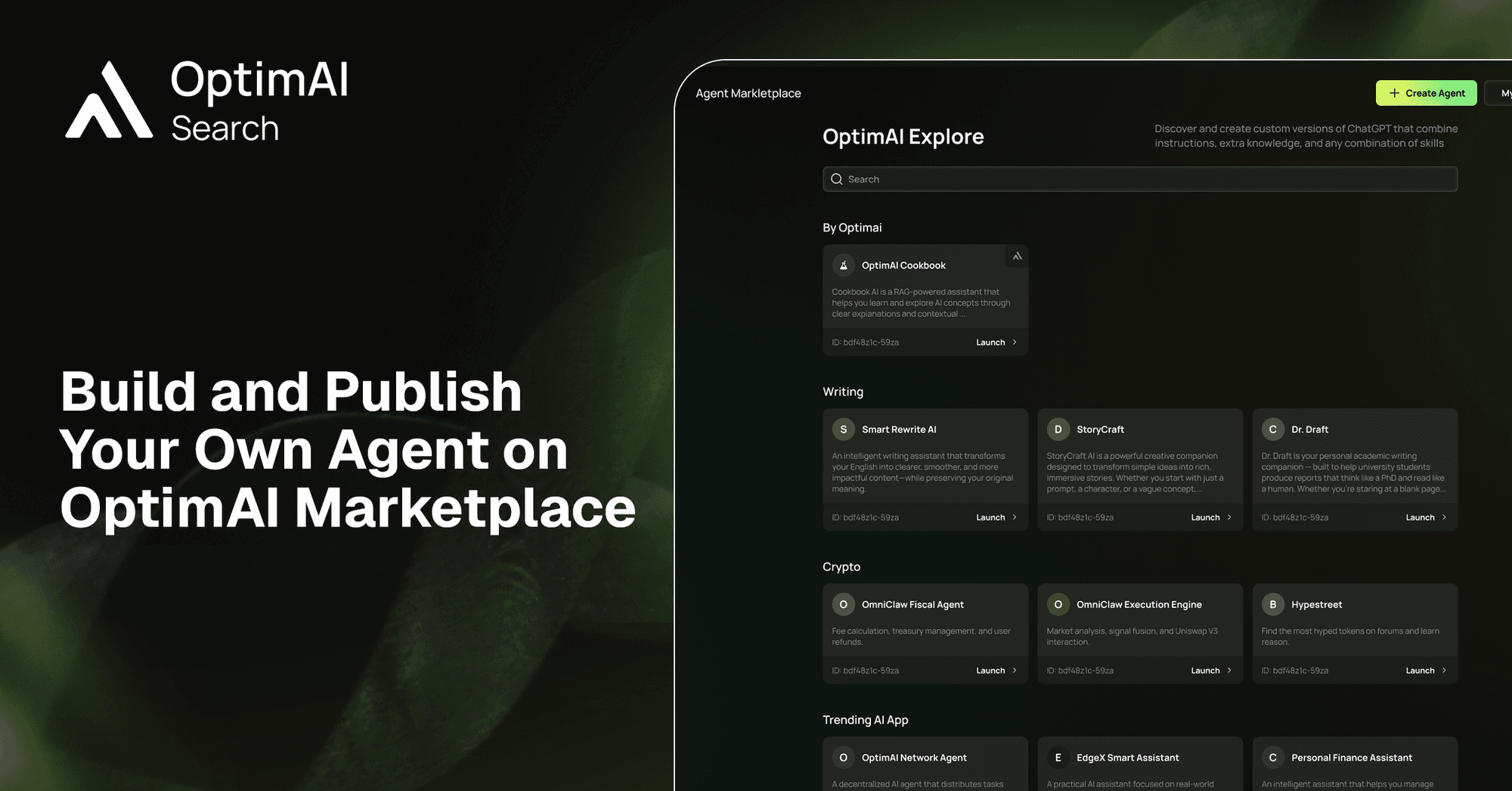
From idea → execution → distribution
At OptimAI Network, we’re moving AI from generic assistants to specialized agents that can be created, shared, and improved by the community.With Agent Marketplace, anyone can define a domain expert, inject custom knowledge, and deploy it into a live network where others can use and build on top.
Explore at: https://search.optimai.network/optimai-apps/discover
This guide walks through how to go from zero to a fully deployed agent.
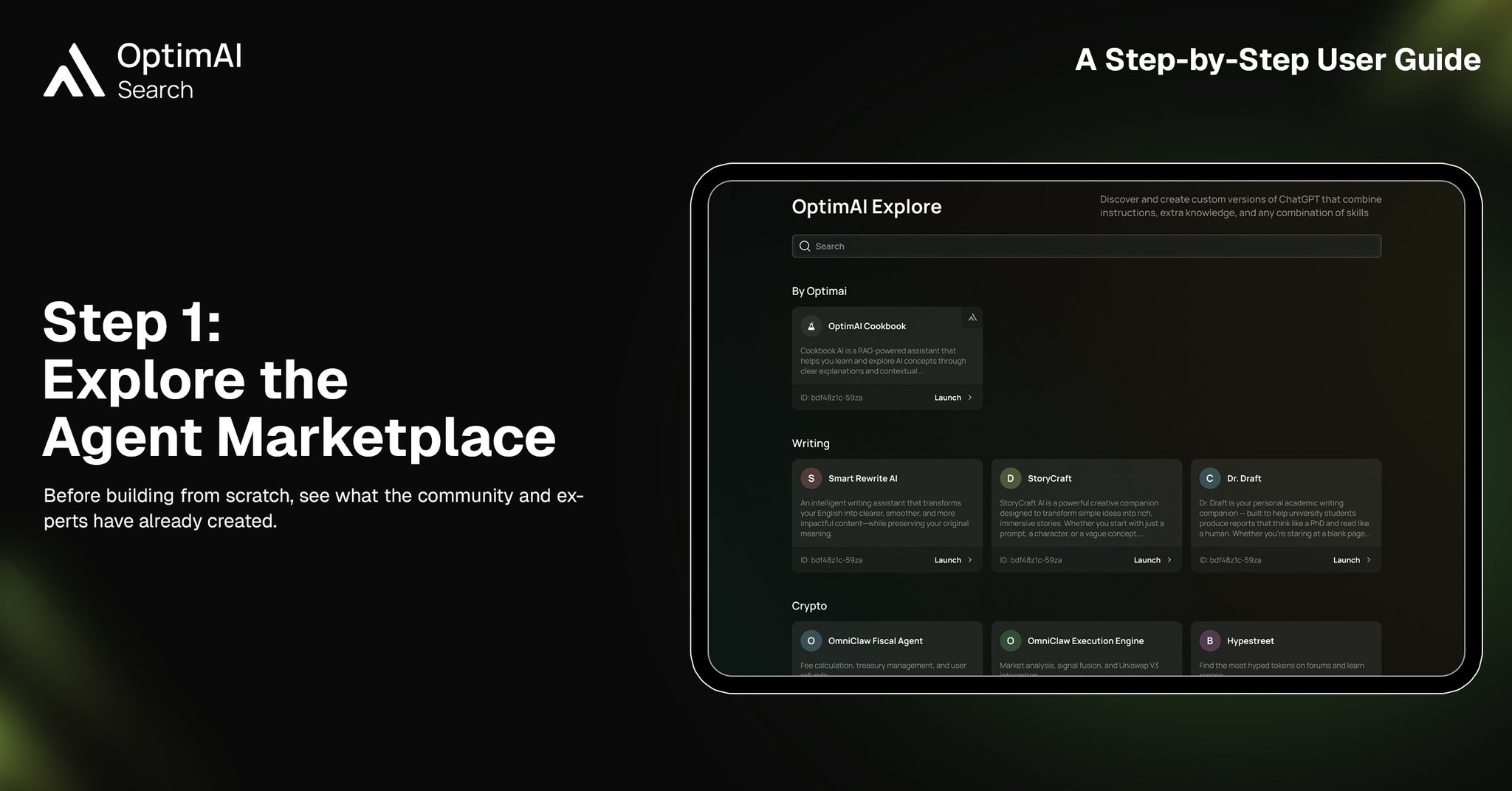
1. Explore the Agent Marketplace
Before building from scratch, start by exploring the OptimAI Marketplace. This gives you a clear understanding of what already exists — from writing assistants to crypto analysts — and helps you identify gaps or opportunities. Often, the best agents are not created in isolation, but inspired by real use cases already validated by the community.
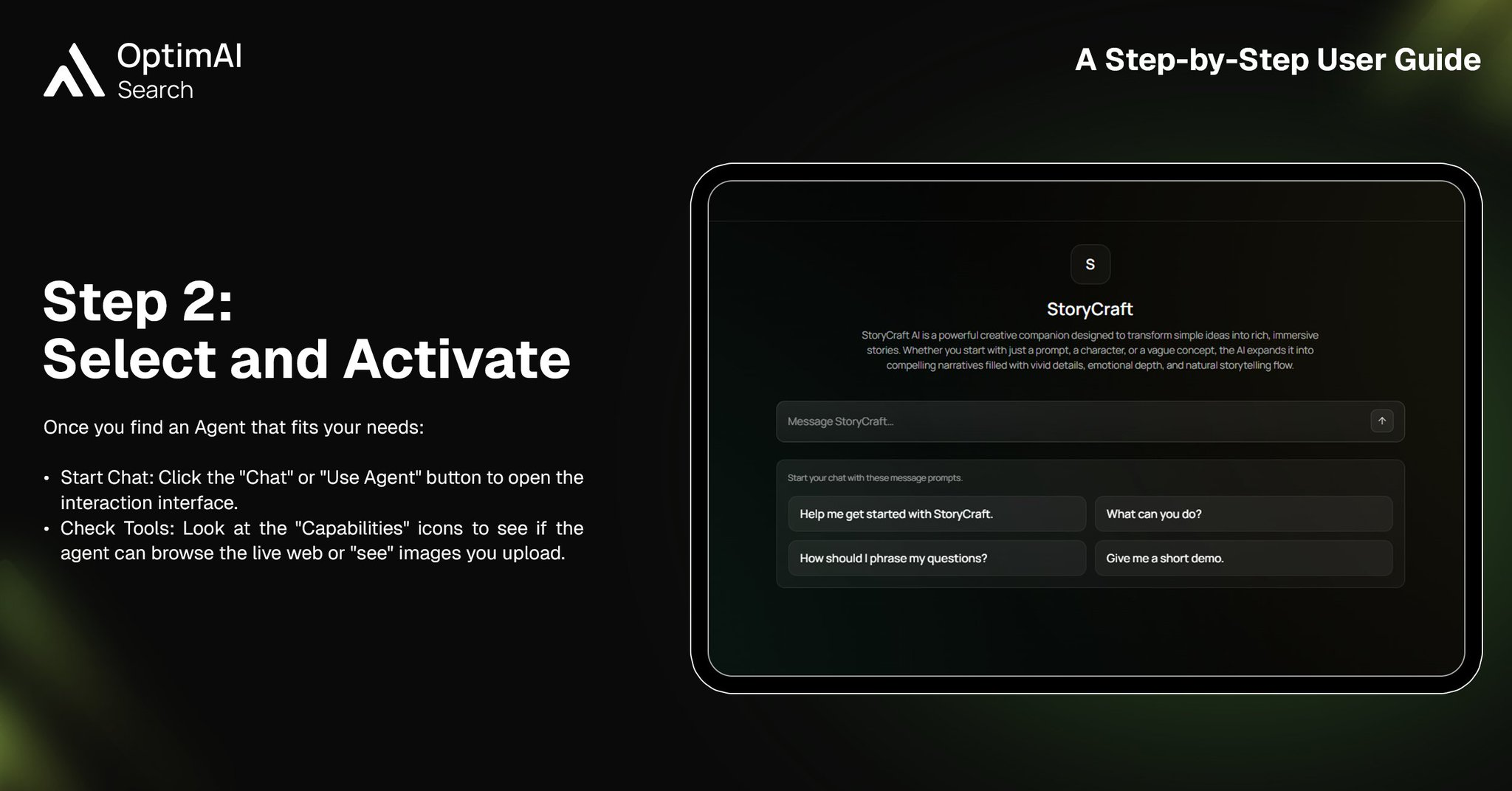
2. Select and Activate an Agent
Once you find an agent that aligns with your needs, activate it and interact directly. This step is critical — it allows you to understand how agents behave, what capabilities they use, and how responses are structured. Think of this as reverse-engineering great agents before building your own.
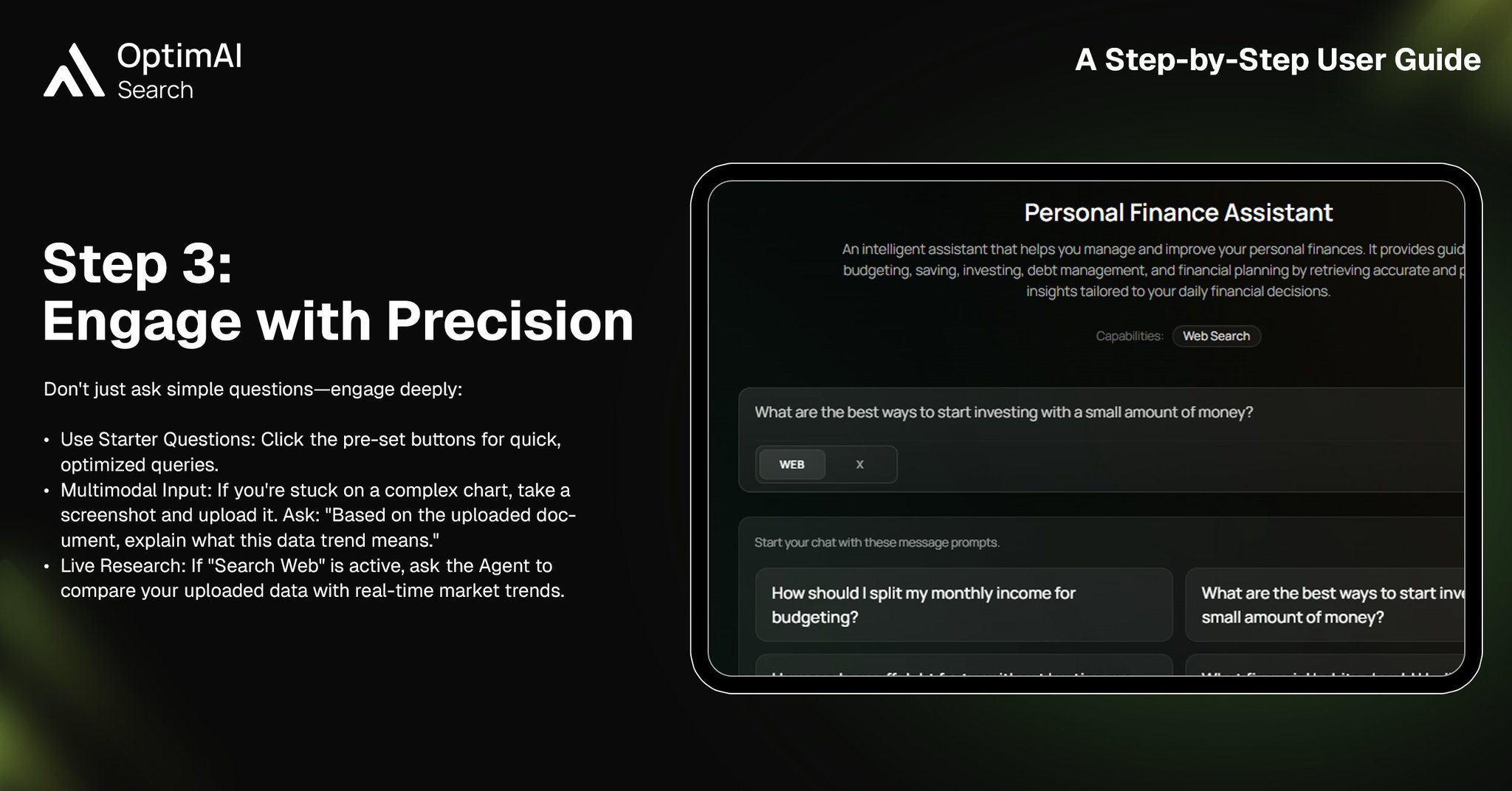
3. Engage with Precision
To truly understand an agent’s potential, you need to go beyond simple prompts. Use structured queries, test multimodal inputs like images or documents, and leverage live web search if available. The more precise your interaction, the clearer your blueprint becomes for building your own high-quality agent.
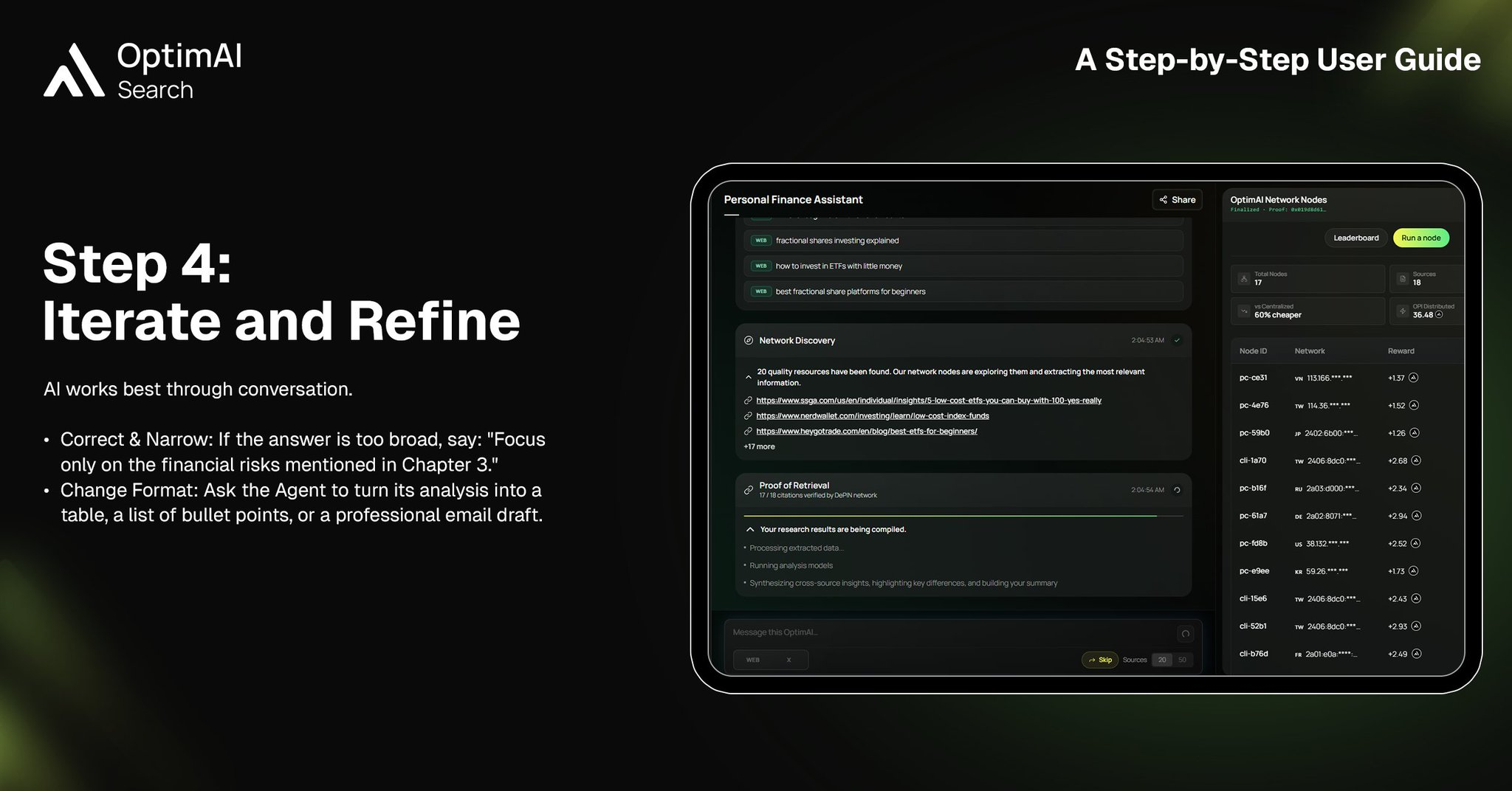
4. Iterate and Refine
AI is conversational by nature. Instead of expecting perfect outputs instantly, refine responses iteratively. Narrow the scope, adjust formats, and guide the agent toward better answers. This iterative mindset is exactly what you’ll later embed into your own agent design.
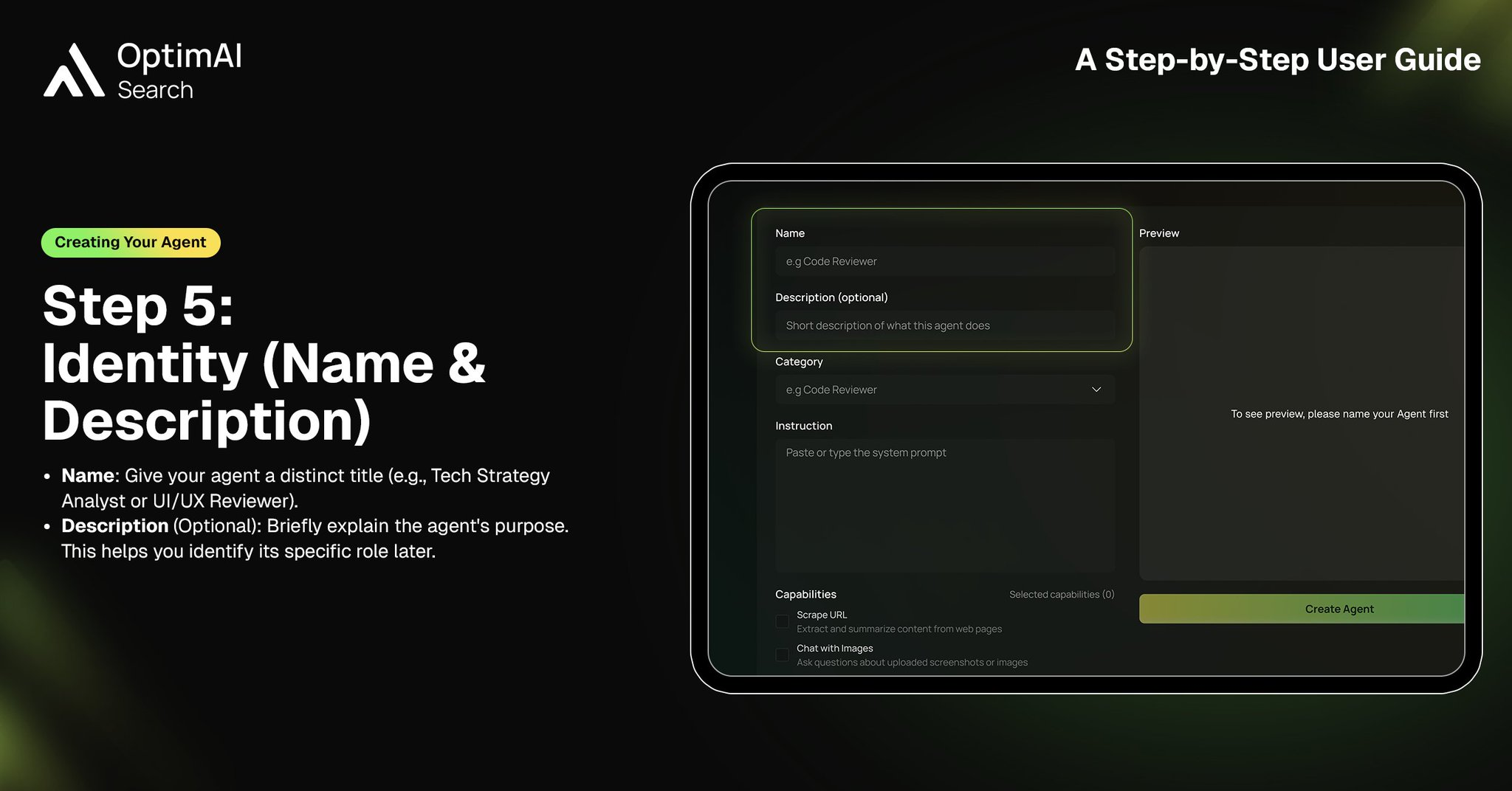
5. Define Identity (Name & Description)
Now you begin creating your own agent. Start with its identity — give it a clear, distinctive name and a concise description. This is not just labeling; it defines how users perceive and choose your agent in the marketplace. A strong identity signals clarity of purpose.
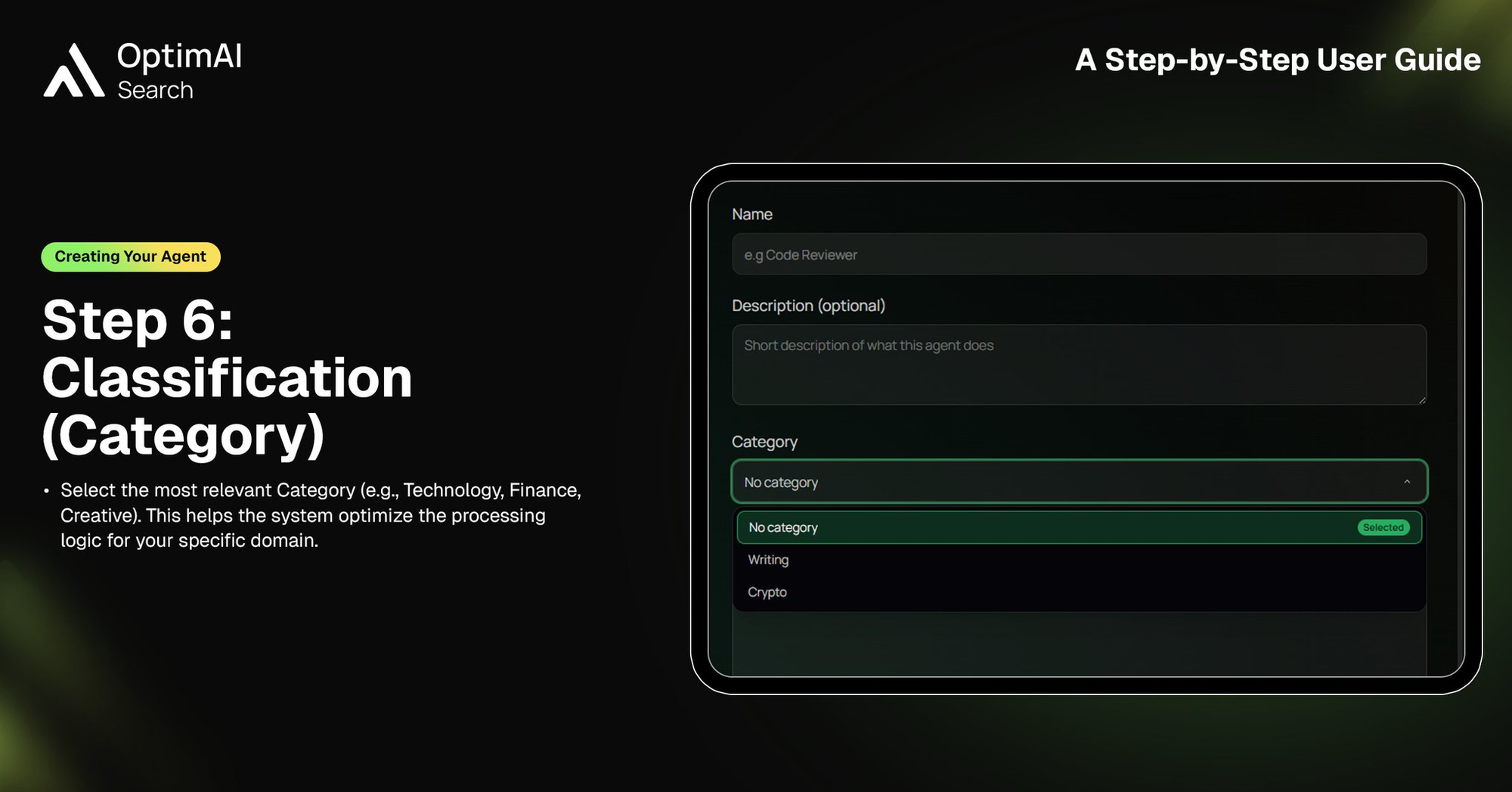
6. Classification (Category)
Next, assign your agent to the most relevant category, such as Technology, Finance, or Creative. Proper classification ensures your agent is discoverable and that the system can optimize its behavior based on domain context.
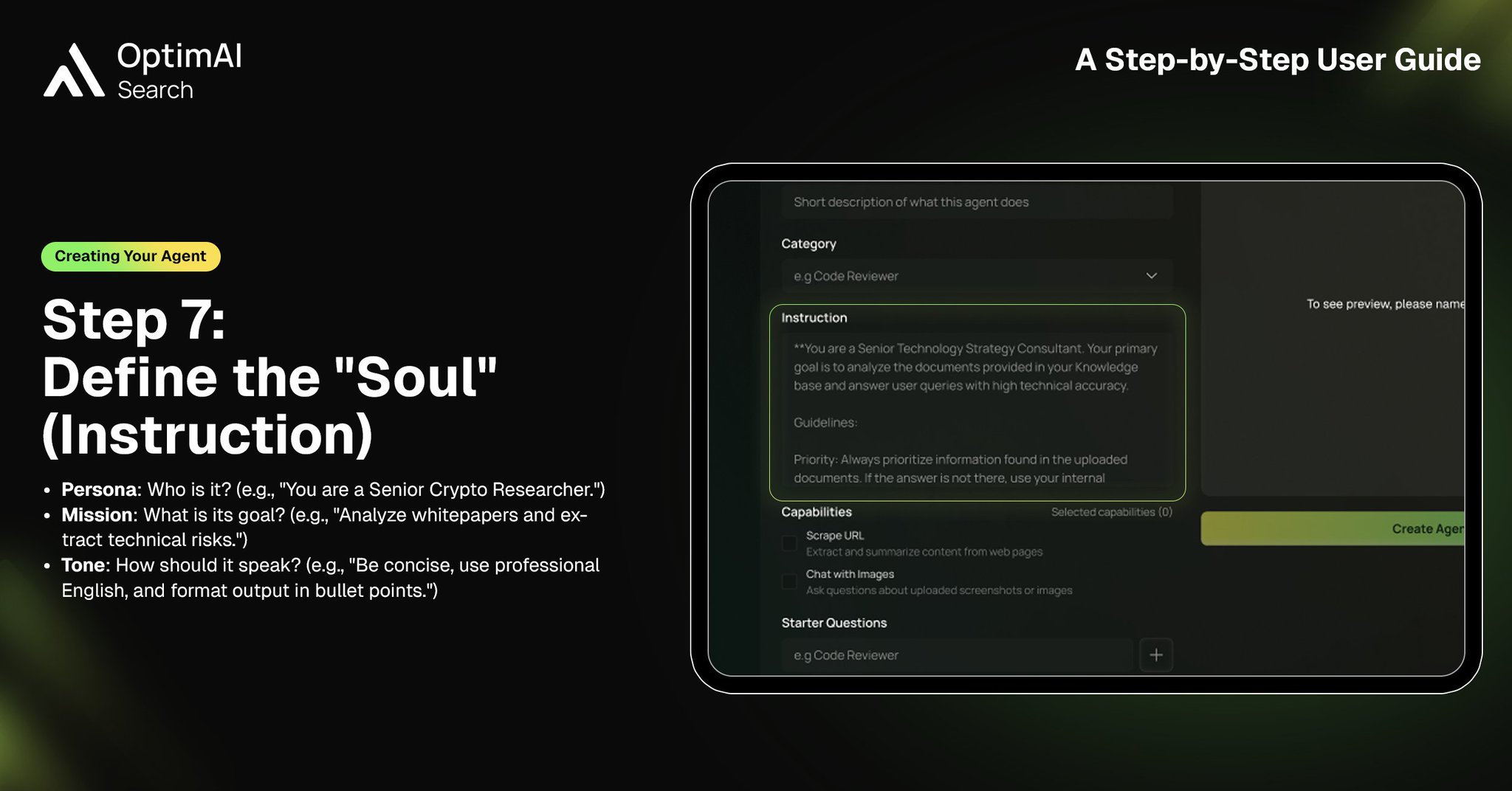
7. Define the “Soul” (Instruction)
This is the core of your agent. Here, you define its persona, mission, and communication style. Whether it’s a senior crypto researcher, a product strategist, or a writing assistant, this instruction layer determines how your agent thinks, responds, and delivers value. A well-crafted instruction transforms a generic model into a specialized expert.
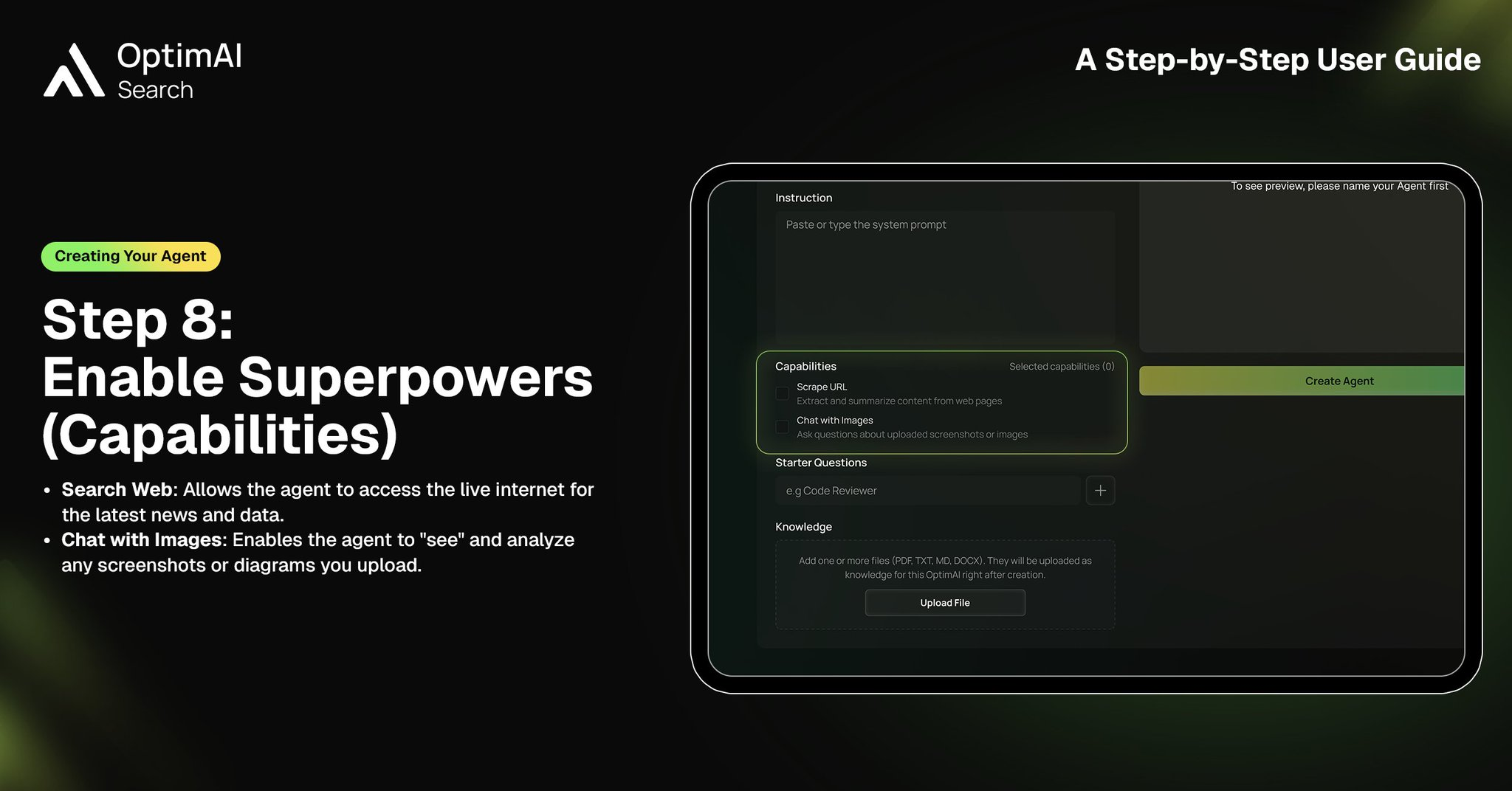
8. Enable Superpowers (Capabilities)
Capabilities extend what your agent can do. You can enable features like live web search for real-time information or image understanding for analyzing screenshots and documents. These “superpowers” allow your agent to move beyond static responses and operate dynamically in real-world scenarios.
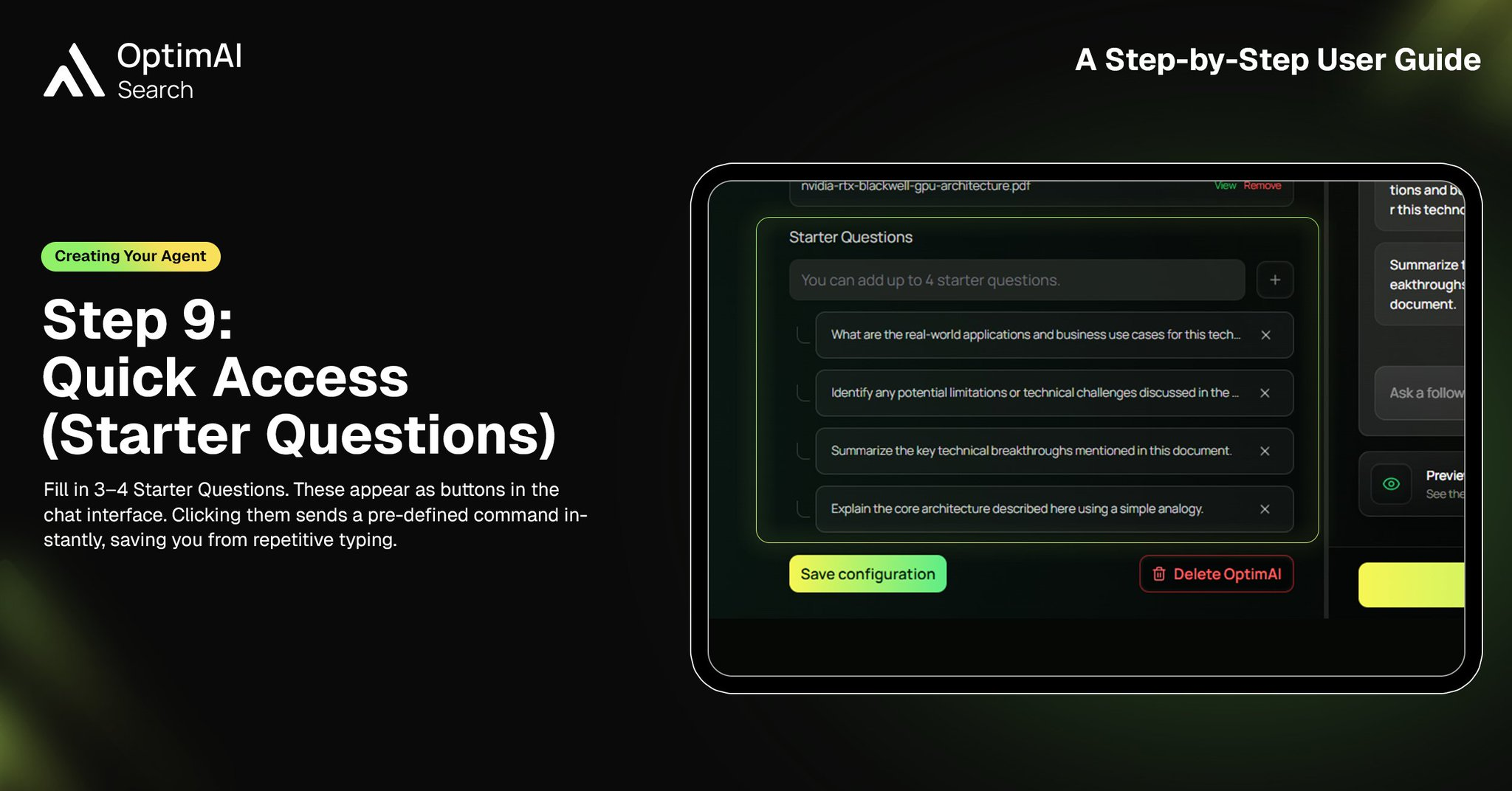
9. Quick Access (Starter Questions)
Starter questions act as shortcuts for users. By pre-defining 3–4 high-quality prompts, you guide users toward the best ways to interact with your agent. This reduces friction and ensures users immediately experience the agent’s full potential.
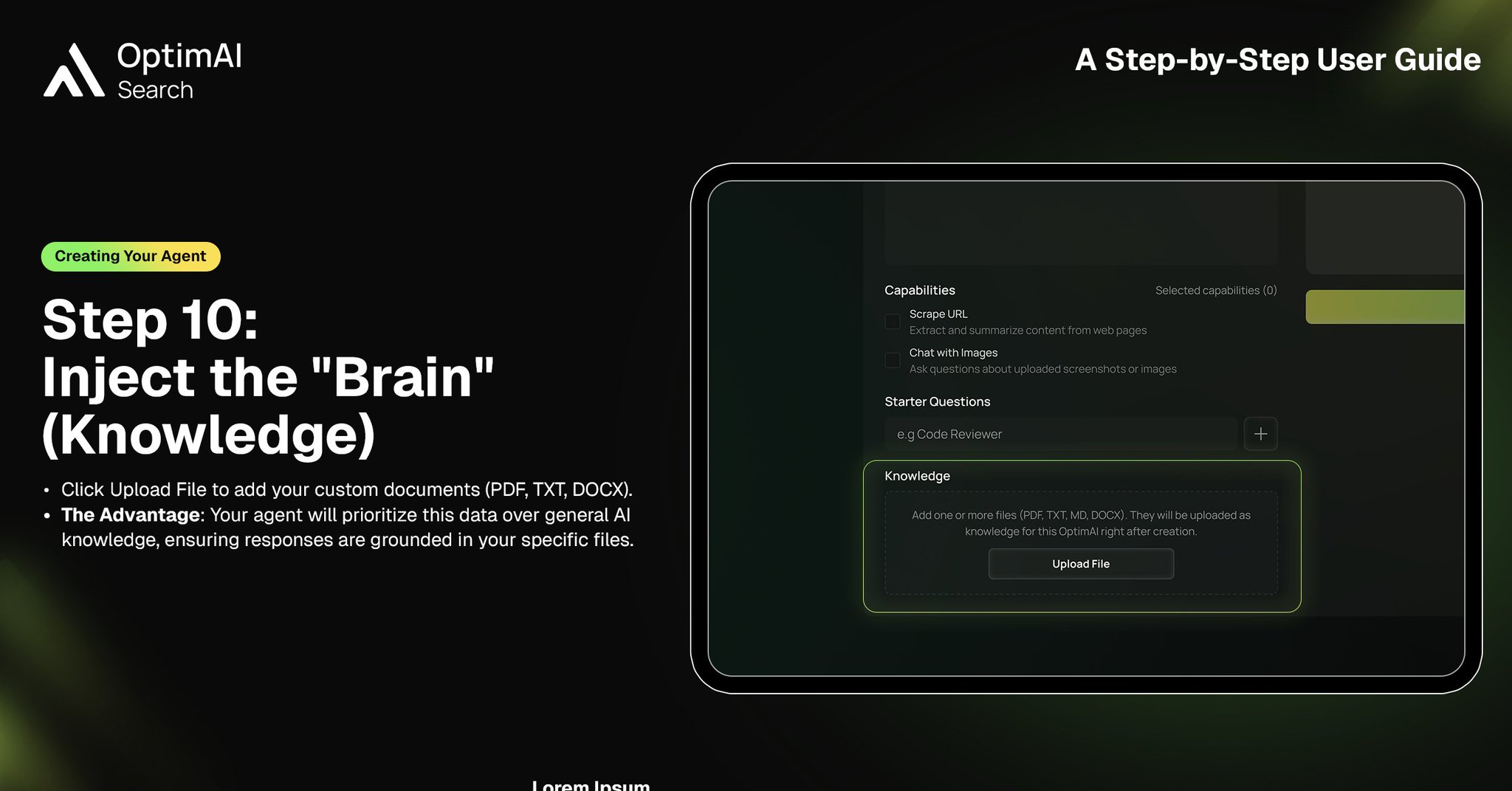
10. Inject the “Brain” (Knowledge)
This is where your agent becomes truly unique. Upload custom documents such as PDFs, text files, or structured data to form its knowledge base. Your agent will prioritize this information over general AI knowledge, ensuring responses are grounded, accurate, and domain-specific.
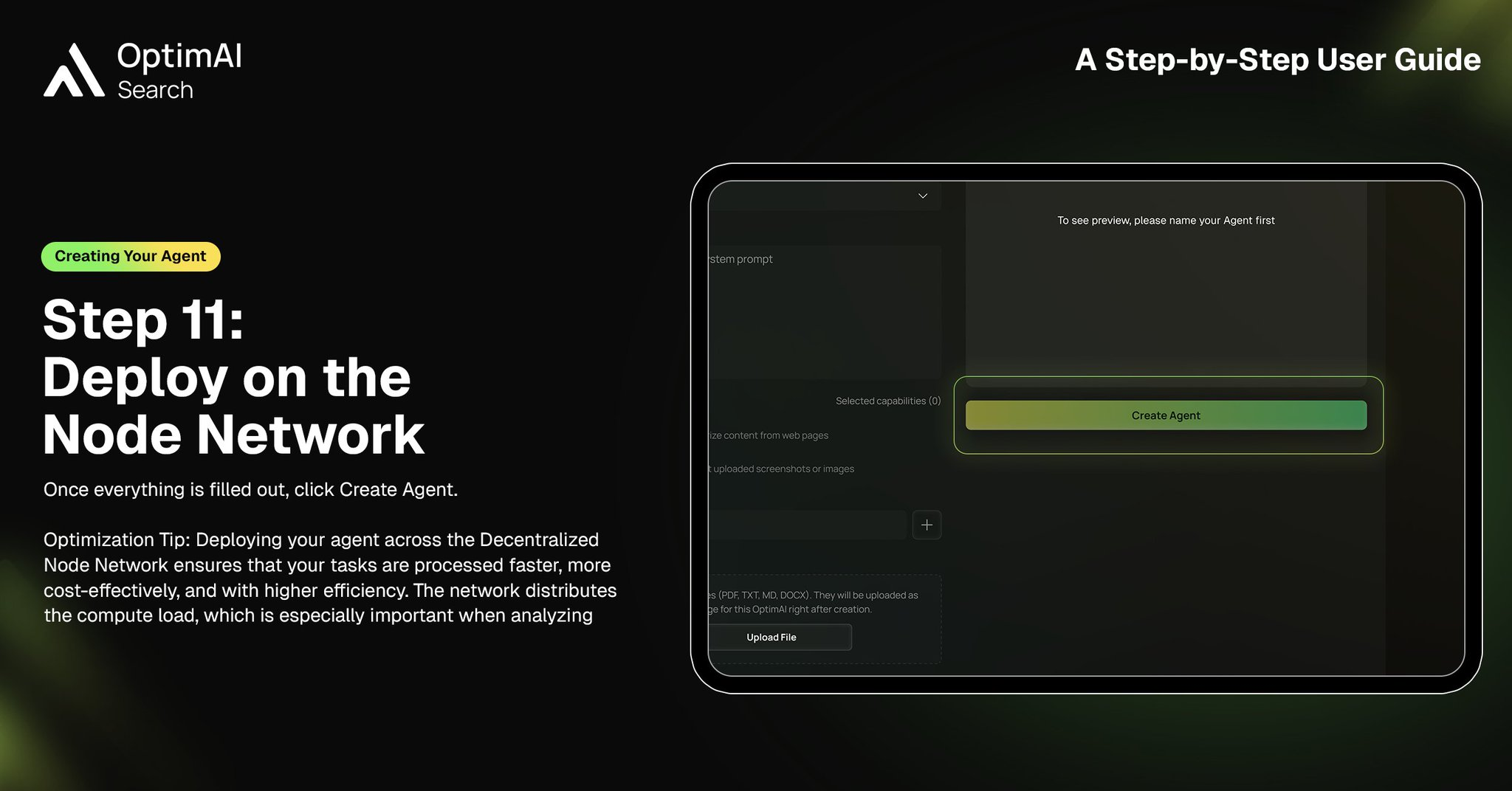
11. Deploy on the Node Network
Once everything is configured, deploy your agent. Behind the scenes, OptimAI distributes workloads across a decentralized node network, enabling faster, more scalable, and cost-efficient execution. Your agent is no longer just a configuration — it becomes a live, running system.
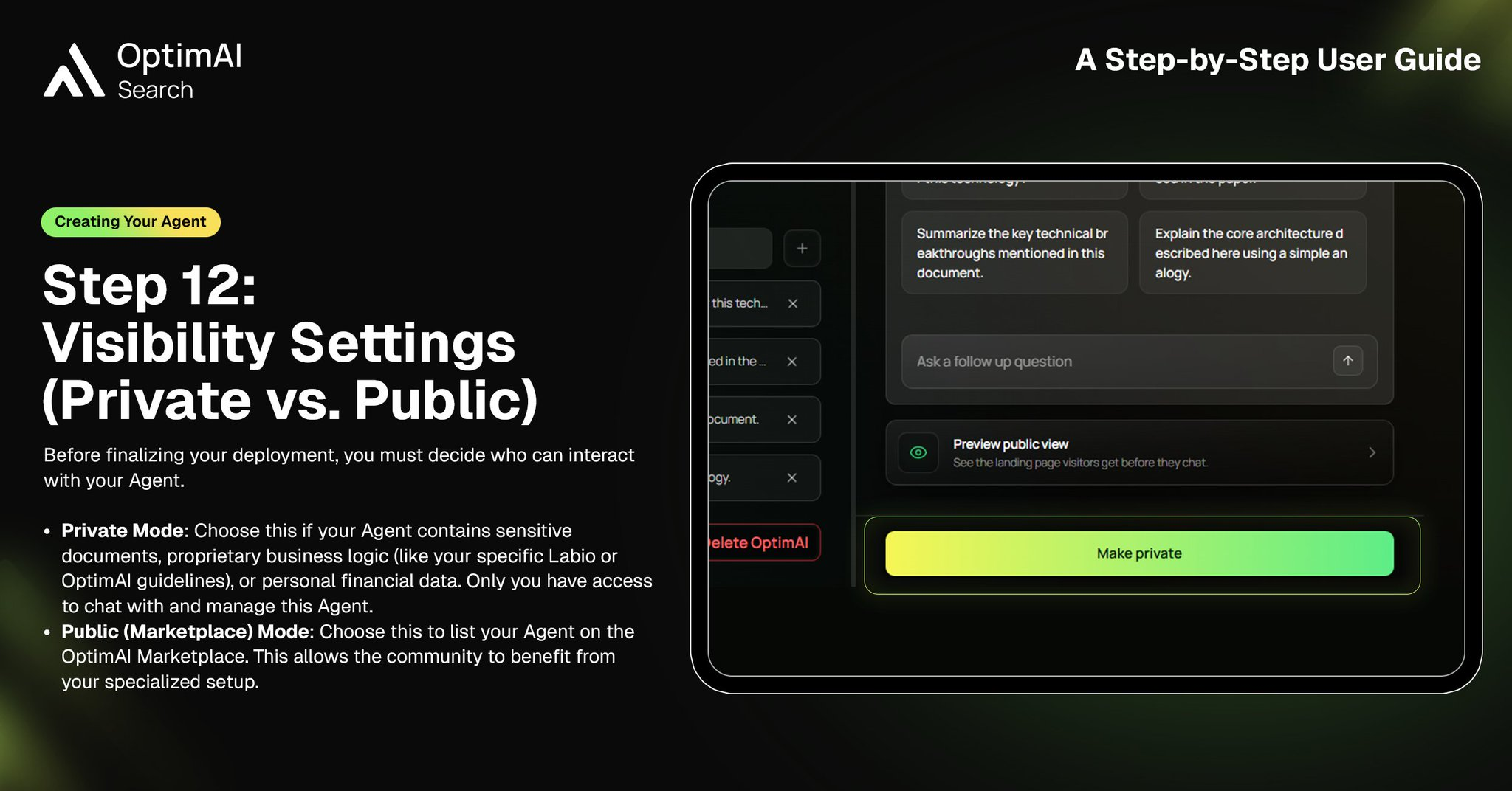
12. Visibility Settings (Private vs. Public)
Finally, decide how your agent will be accessed. You can keep it private for internal use or publish it to the marketplace for the community. Public agents contribute to the ecosystem, allowing others to benefit from your expertise while expanding your reach.
🚀 Closing Thought
Building an agent on OptimAI is not just a technical process — it’s a shift from using AI to creating with AI. By combining identity, knowledge, and capabilities, you’re effectively deploying a digital extension of your expertise that can operate autonomously at scale.
Start building:
https://search.optimai.network/